Introduction
Consistency and efficiency are more important than ever in the rapidly developing world of today. Docker containers are becoming popular because deploying code reliably can be difficult, whether you’re building a small app or running large-scale systems. This is where the Docker concept comes in, and it’s considered a game-changer.
Docker enables developers to package up an application and all its dependencies into a single image. This means that your application will run the same in all environments — be it your local machine, a staging server, or production.
In this article, we’ll explain everything you need to know about Docker containers, including how they work and why they are important in modern development.
What is a Docker Container?
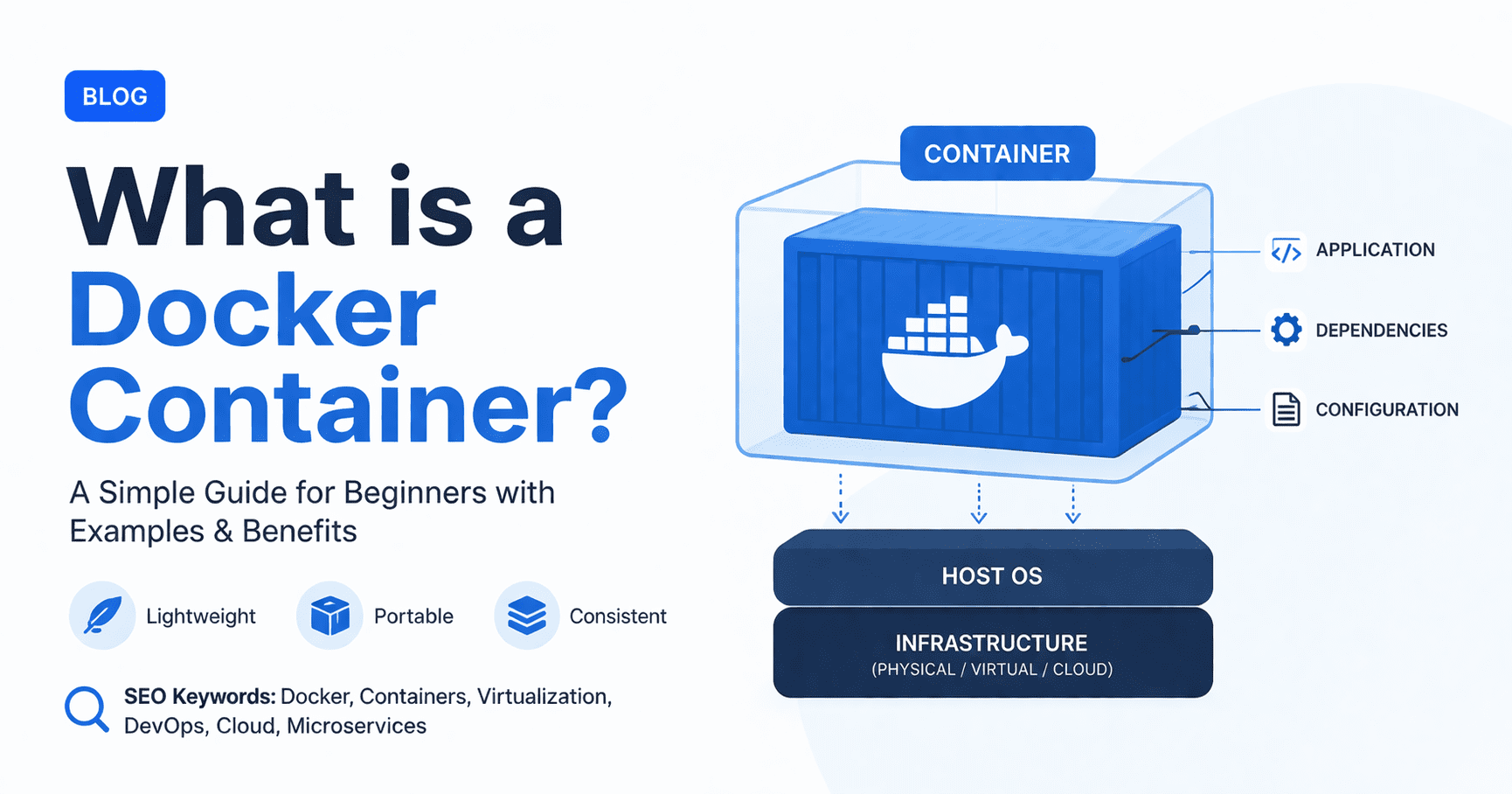
Docker containers are a standard unit of software that packages up code and all its dependencies so the application runs quickly and reliably from one computing environment to another.
They differ from conventional virtual machines in that they share the host system’s kernel, which makes them:
- Lightweight
- Fast to start
- Resource-efficient
Key Characteristics of Docker Containers
- Portable — Run anywhere, whether that’s local, cloud or on-prem.
- Isolated — Each container runs independently
- Consistent — All environments do the same
- Scalability — To manage load, containers can be easily replicated
Many teams combine containers with modern DevOps practices to improve deployment speed and software reliability.
How Docker Containers Work
Images are used to build containers. A Docker image acts as a blueprint of the software, whereas a container is the running instance of that image.
Basic Workflow
- Create a Dockerfile
- Build an image
- Run the container
Example (Node.js App)
Build image
docker build -t my-app .Run container
docker run -p 3000:3000 my-app
Behind the Scenes
- Docker uses namespaces for isolation
- cgroups control resource usage
- Containers share the OS kernel
If you’re deploying scalable applications, you may also want to explore free options to deploy microservices apps.
Docker Container vs Virtual Machine
Why and How Docker is Different from a Virtual Machine?
| Feature | Docker Container | Virtual Machine |
|---|---|---|
| 1. Size | Lightweight (MBs) | Heavy (GBs) |
| 2. Boot Time | Seconds | Minutes |
| 3. OS | Shares host OS | Full OS per VM |
| 4. Performance | High | Moderate |
| 5. Resource Usage | Low | High |
Summary
- Fast and efficient with Docker
- VMs: Use when you need full OS isolation
Containerized applications often perform best on Linux systems. Learn more about how Linux outshines Windows for developers.
Benefits of Using Docker Containers
Consistency Across Environments
No more “it runs on my machine” problems.
Faster Deployment
Containers can be started almost instantly, which minimizes downtime.
Scalability
With orchestration tools, you can also spin up multiple containers in one command.
Simplified Dependency Management
All dependencies are included in the container.
Microservices Architecture Support
Great for splitting up apps into multiple services.
Teams frequently integrate Docker into automated CI/CD pipelines and tools for continuous delivery.
Use Cases of Docker Containers
Web Application Deployment
Applications run with all dependencies packed together
CI/CD Pipelines
Automate testing and deployment processes.
Microservices
Use a separate container to deploy independent services.
Development Environments
All team members must adopt the same setup.
Docker environments are commonly used with APIs and integrations from the best API search companies.
Docker Container Lifecycle
Background Container lifecycle knowledge is critical for handling containers.
Stages
- Created – A container has been defined but is not yet started
- Running – Actively executing
- Paused – Temporarily stopped
- Stopped – Execution halted
- Deleted – Removed from system
Useful Commands
docker ps    # List of running containers
docker stop  # Stop container
docker start # Start container
docker rm    # remove container
Cloud-native applications should also consider risks related to AWS outages and downtime.
The Best Practices for Utilizing Docker Containers
Use Small Base Images
- Prefer Alpine-based images
- Reduces size and improves performance
Write Efficient Dockerfiles
- Minimize layers
- Use caching wisely
Avoid Running as Root
Improves security
Keep Containers Stateless
External data storage (volumes, databases, etc.)
Use Environment Variables
Makes configuration flexible
Developers working with automation and AI workflows may also benefit from the MCP library full guide.
For example, a Simple Python App in a Docker Container
FROM python:3.10-slim
WORKDIR /app
COPY . .
RUN pip install -r requirements.txt
CMD ["python", "app.py"]
Run Commands
docker build -t python-app .
docker run python-app
This shows how easily you can package and run an application by using a container.
You can also combine Docker with automation scripts and Python internet scraping workflows.
Conclusion / Final Thoughts
Docker container is one of the powerful tools in modern software development. It makes deployment simpler, facilitates consistency, and boosts scalability. Docker containers are miniature working environments that can be accessed as a service, which is why learning how to use them properly helps you fast-track your workflow, whether you are new to development or an experienced developer.
As applications become more complex, containers have gone from optional to standard.
Suggested Reads
- DevOps Practices: Build Software Quicker, Secure, and Scalable in 2026
- Special Report: Best API Search Companies Homepage— Your Ultimate Guide in 2026
- Official Docker Website
- Kubernetes Official Documentation
- Docker Documentation
- Free Options to Deploy Microservices App in 2026
FAQs
And what exactly is a Docker container?
A Docker container is a standard unit of software packaging that allows an application to move anywhere consistently, along with its dependencies.
Are containers virtual machines?
This is not because a Docker container shares the host operating system, whereas in a virtual machine you run a full separate OS.
What makes Docker containers so popular?
They are fast, portable, and easier to deploy across multiple environments.
You have data up to October 2023.
Yes, you run more than one container at a time without much resource overhead.
Do Docker containers persist data?
By default, no. To build an app that needs persistent empty storage or volumes.
6 thoughts on “Docker Container 2026: Complete Beginner’s Guide”